
Back on the road
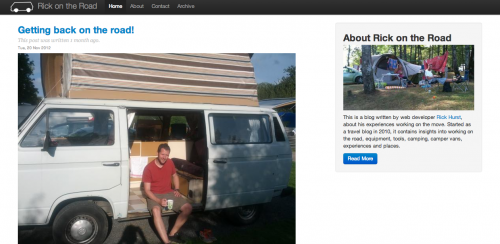
I’ve reinstated my travel/ mobile working/ camping blog, using the latest version of eatStatic blog software.
Rick Hurst Web Developer in Bristol, UK
Menu
I’ve reinstated my travel/ mobile working/ camping blog, using the latest version of eatStatic blog software.
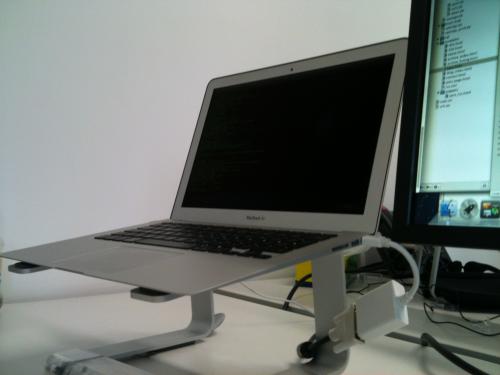
When I first saw the macbook air I was awe-struck by it’s design and portability, and like many people I was wondering if it would be up to the job of being an everyday work machine for web development. At the time I was primarily interested in the 11 inch version – I wrote off the idea of the 13 inch version, thinking that if I wasn’t going to get the really small version, I might as well just get a more feature-rich and powerful 13 inch macbook pro. Several of my friends have got the 11 inch version, and have found it very capable, however..
Screen Resolution
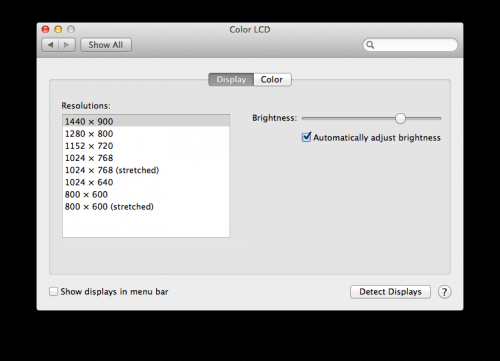
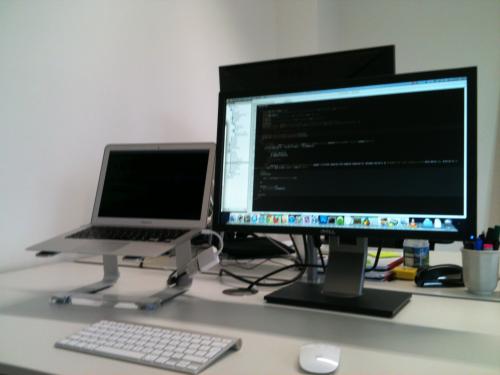
I spend most of my work time with my laptop plugged into an external monitor, with a separate keyboard and mouse, so I effectively have a dual-monitor set-up. When I do work away from the desk I use the laptop by itself, and I really want as much screen-estate as possible – especially when doing front end CSS and JavaScript work with firebug open. So when I noticed that the 13 inch air has 1440 x 900 resolution, which is better than the 1280 x 800 on the 13 inch pro and basically the same as the current standard 15 inch macbook pro (though smaller), it became obvious that the 13 inch could be ideal. So in december last year when it came time to upgrade (thanks Potato!) from my tired old black macbook (it had a good innings!), I went for a top-spec 13 inch macbook air.
Power and Storage
A couple of people have asked me about the power and storage – I went for the highest spec I could, so this has an i7 chip and 256gb SSD. I’ve been using it for a month or so and still have 130gb spare on the SSD, so the drive is plenty big enough once all my software, music, photos, a few movies and TV series are on it, not to mention several work projects. I would have been struggling with the 128gb version, though arguably I could use an external drive for all the media, and be ruthless with deleting stuff, and just about get away with it.
I haven’t done any speed benchmarks, but this machine feels blazingly fast compared to my old core duo macbook, in fact i’ve never used a faster machine! Photoshop opens very quickly and it handles large photoshop files really well, is plenty fast enough for general web development and associated tools. The most demanding scenario for me is having multiple browsers (and dev plugins) open, using my usual dev tools along with a massive multi-layered photoshop file open in CS5, at the same time as virtualbox running windows 7 for IE browser testing. While this pretty much uses all of the 4GB of ram, it still runs really happily compared to my old macbook – probably because the disk is much faster.
The only thing I haven’t done is try editing a video with final cut pro – I know this machine has the same graphics capability as the 13 inch macbook pro (“Intel HD Graphics 3000 processor with 384MB of DDR3 SDRAM shared with main memory”), so should be capable, though not as good as the 15 inch and 17 inch pro, which have a second dedicated graphics chip and memory. I would imagine it is entirely possible to edit and process large videos on this, though if video editing were my primary job (and needed a portable editing machine), i’d have gone for a 15 inch pro at least! My video editing amounts to occasionally splicing together clips in iMovie, and adding titles and soundtracks – it is more than capable of doing that, including HD.
Battery
The advertised battery time on the 13 inch air is up to 7 hours – another selling point for me in comparison to the 5 hours on the 11 inch version. I haven’t had the full 7 hours yet, but whenever i’m working I nearly always have a whole load of stuff running, so i’m getting more like 4 – 5 hours. Coconut battery is telling me I have a max capacity of 6450 mAh as opposed to the design capacity of 6700 mAh – I may pop in to the apple store to see if this anything to worry about, though i’m not keen on the idea of it being taken away from me for more than an hour or two to have a new battery put in!
Portability
Obviously this is a big plus with the air – the backache I used to get carrying round my old macbook in a backpack is no longer a problem – I can barely tell whether it’s in my bag or not. If you spend half your life on a train or plane, the smaller version may of course be preferable, but i’ve not yet been in a position where this one feels too big.
Conclusion
I would definitely recommend the macbook air 13 inch as a portable web dev machine! I’m really happy with it and hopefully i’ll get many years out of it, just like I did with my old macbook and the powerbook that preceded it. As ever, whenever you commit to buying a new mac, there’s always the “but aren’t the new ones being released tomorrow/ next week/ next year?” consideration. I think if a macbook air with 8GB of ram suddenly appears i’ll have slight regrets for not hanging on, but other than that i’m very happy that i’ve made the right choice!
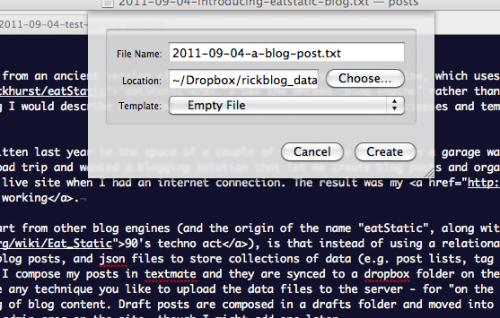
Recently I ported this blog from an ancient version of wordpress to my own simple blog engine, which uses my PHP5 micro-framework, “eatStatic”. I use the phrase “blog engine” rather than blog software, as it isn’t really packaged up yet as something I would describe as software – its more just a collection of classes and templates that can be used to keep a blog.
The bulk of the code was written last year in the space of a couple of hours while sitting in a garage waiting for my car to be fixed – I was about to go on a long road trip and wanted a blogging solution that let me create blog posts and organise photos offline and then conveniently sync it to the live site when I had an internet connection. The result was my “on the road” blog about mobile working.
The thing that sets this apart from other blog engines (and the origin of the name “eatStatic”, along with a nod to a 90’s techno act), is that instead of using a relational database to store content, it uses simple text files for blog posts, and cached json files to store collections of data (e.g. post lists, tag references etc.). I have it set up to run with dropbox so that I compose my posts in textmate and they are synced to a dropbox folder on the webserver. You don’t have to use dropbox though – you can use any technique you like to upload the data files to the server – for “on the road” I use subversion, which means I also have versioning of blog content. Draft posts are composed in a drafts folder and moved into the main posts folder to push them live. There is currently no admin area on the site, though I might add one later.
The published date and URI for each post are taken from the text file name – i’ve adapted it for this blog to use the same url scheme as wordpress to avoid link rot on legacy content. Some people asked me why I don’t just use the title and created/ modified date of the text file to make it even simpler, and the answer is that I wanted finer control, and the option to specify the publish date – using created/ modified would have been a disaster for the content I imported from wordpress. Also by naming each file starting with YYYY-MM-DD, the post files are easier to sort/ find in the post folder, both visually/ manually and in code. You can use HTML in the blog post and additionally line breaks are converted to br tags, other then immediately after a closing tag. You can add tags and metadata at the end of the text file.
I’ve also got a simple thumbnail gallery which can be included in a post (see below) by uploading a folder full of full-size images with the same name as the post. The idea behind this is that a set of jpeg/ png images can be imported from a camera, and automatically pushed to the server by dropbox. A caching script creates the thumbnails and web-size version on demand, which are saved to the filesystem for efficiency during subsequent requests. I considered setting it up so that each post had it’s own folder, which could then contain images, but the blog engine was mostly written with the idea of quickly creating posts by opening textmate/ emacs, writing and saving rather then faffing around with creating folders.
I made the decision not to build in any commenting functionality – the anti-spam / moderation features needed are too much of a pain to deal with, so i’ve archived the old wordpress comments into the post body and integrated disqus instead.
As I mentioned before, I’ve been using a previous version of eatStatic successfully for my “on the road” blog, but I wanted to see how it coped with 100’s of posts rather then just a handful – it seems to be doing fine, coping with over 600 posts, but i’m sure there is room for improvement. I’ve also been investigating making the json read/write switchable to use mongodb so that it could potentially be very scaleable – i’ve encountered a few inconsistencies in the way that PHP json_decode() and mongodb object retrieval work, but nothing that can’t be worked around – expect a blog post on that later!
I don’t expect eatStatic blog to be a wordpress killer, but it may appeal to techie types who want a lightweight PHP5 blog engine, maybe to plug into an existing site and people who want to compose posts in textmate/ emacs (or any other code editor), rather than in a web form. If you are interested in trying it, keep an eye on the github repo, as i’ll commit an example of how this blog is formed, once i’ve ironed out the more embarrassing bugs! I may add a simple admin area at a later date, to allow publishing entirely via the web, and I think it would also benefit from a “post by email” feature, for convenient moblogging, but don’t hold your breath!
When I was importing content (I actually wrote a python script to parse a wordpress xml export file and create the text files), I found it quite fitting that the first ever post on this blog nearly ten years ago was made on a home-brewed ASP blog engine which used XML for data storage. I think before then I kept a static HTML blog of sorts, on a freeserve site, but unfortunately haven’t got a copy of that for completeness.
Lastly, whether or not you want to set up an eatStatic-based blog, if you aren’t already using dropbox, it really is excellent, so why not sign up for free 2GB account using my referral URL, so I can get some more free space? Even though I have a paid dropbox account, I use a second free account to mount on my server for automated site/ database backups and for this blog and it keeps filling up!
This blog is being neglected once again, but I have recently posted to my mobile working blog:-
Combined messenger and pannier bag
The importance of earphones for emergency use when cafe working
Shedworking